
Google reviews can make or break a local business. According to BrightLocal's 2024 Local Consumer Review Survey, 97% of consumers read online reviews before visiting a business, and Google is the first place they look. Yet most businesses only capture a fraction of the reviews they could be getting.
The problem is simple: happy customers rarely leave reviews on their own. They need a gentle nudge at the right time, through the right channel. If you want to know how to increase your Google reviews — and keep them growing month after month — here are 10 proven strategies that work in 2026, with specific tips for Indian local businesses.
1. Ask at the Right Moment
Timing is everything. The best time to ask for a review is immediately after a positive experience — when the customer is still feeling good about your service. For a restaurant, that's right after the meal. For a salon, it's when the customer sees their new look in the mirror. For a clinic, it's after a successful consultation when the patient feels heard and cared for.
Don't wait days or weeks. The emotional connection fades fast. A request within 30 minutes of service gets 3x more responses than one sent the next day. The key is to automate this timing — if you manually try to remember to send messages, you'll miss half your customers.
2. Use WhatsApp Instead of Email or SMS
In India, WhatsApp messages have a 90%+ open rate compared to 20-30% for emails. Your customers are already on WhatsApp — they check it dozens of times a day. A personalized WhatsApp message with a direct review link is the most effective channel for Indian businesses. Read our full guide on WhatsApp marketing for small businesses in India.
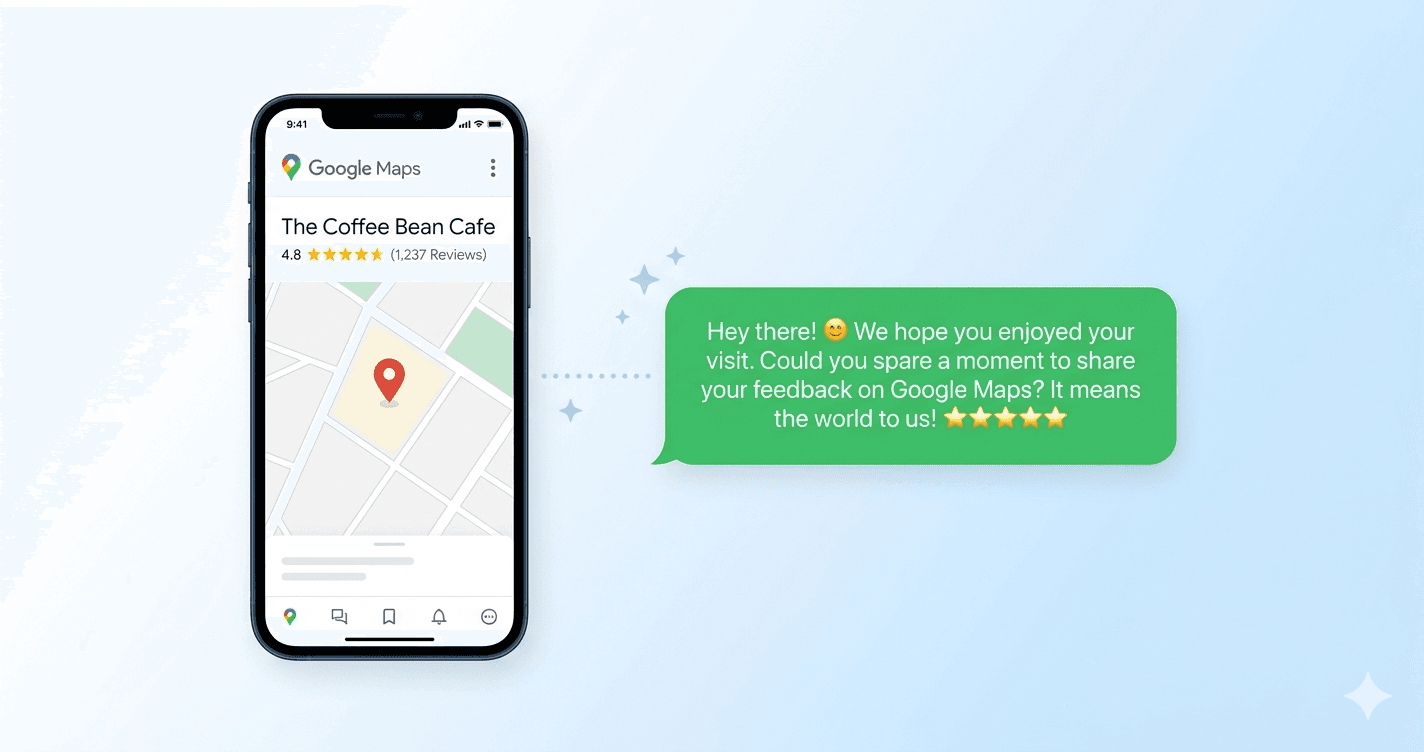
The message should be short, personal, and include a one-tap link to your Google review page. No friction, no extra steps. Need inspiration? Try our free review message generator or browse our 20+ ready-to-use WhatsApp templates.
Why not email? Most small business customers in India — especially in Tier 2 and Tier 3 cities — don't check email regularly. WhatsApp is where they communicate with family, friends, and now businesses. Meeting customers where they already are is the simplest way to increase your review conversion rate.
3. Make It Ridiculously Easy
Every extra step you add loses 50% of potential reviewers. The ideal flow: customer receives message → taps link → lands directly on Google review form → taps stars → done. That's 3 taps, 15 seconds.
Don't send them to your website first. Don't ask them to search for your business on Google Maps. Send a direct link to your Google review page. You can get this link from your Google Business Profile by going to "Ask for reviews" in the dashboard — it generates a short URL that opens the review form directly.
4. Personalize Your Request
"Hi Rahul, thank you for visiting us today!" works 10x better than "Dear valued customer, please leave a review." Use the customer's name, mention the specific service they received, and keep the tone friendly.
Personalization goes beyond just names. If you run a restaurant and a customer ordered your signature biryani, referencing that in your message feels authentic. For a salon, mentioning the specific service ("Hope you're loving the new hair colour!") shows you remember them. Even small details increase the likelihood of a review because the customer feels valued, not spammed.
5. Use a Smart Review Funnel
Here's what smart businesses do differently: before sending customers to Google, they ask for a private rating first. Customers who rate 4-5 stars get redirected to Google to leave a public review. Customers who rate 1-3 stars are captured privately so you can address their concerns before they post publicly.
This approach can increase your average Google rating by 0.5-1.0 stars because you're only sending happy customers to Google while still capturing valuable feedback from unhappy ones. It's not about hiding negative feedback — it's about getting a chance to fix problems before they become permanent public reviews.
A Smart Review Funnel typically works like this: the customer receives a WhatsApp message with a review link. When they tap it, they see a simple star rating screen (not on Google — on your own page). If they rate 4 or 5 stars, they're immediately redirected to your Google Business page to post their review. If they rate 1-3 stars, they see a private feedback form where they can tell you what went wrong. You get the feedback via your dashboard and can reach out to resolve the issue.
Want to automate this?
Send review requests automatically via WhatsApp. Try Starvio free — no credit card required.
6. Set Up a QR Code at Your Business
Place a branded QR code at your billing counter, reception desk, or table. When customers scan it, they can instantly enter their name and phone number. They'll automatically receive a WhatsApp message with your review link.
This works especially well for walk-in businesses like restaurants, salons, and clinics where you may not always collect customer phone numbers. Indian customers are already trained to scan QR codes for payments (UPI, Google Pay, Paytm), so the behavior is natural. The same motion — pull out phone, scan code — now also helps you collect reviews.
Place the QR code where customers have a moment to scan it: at the billing counter while they wait for change, at the reception while they wait for their turn, or on each restaurant table where they can scan while waiting for food.
7. Train Your Staff
Your staff interacts with customers daily. Train them to mention reviews naturally: "If you enjoyed your experience today, we'd really appreciate a Google review. You'll get a quick message on WhatsApp with the link."
This personal touch, combined with automated follow-up, dramatically increases review rates. The verbal ask is the trigger, and the WhatsApp message is the follow-through. Without the verbal mention, many customers won't open the automated message. Without the automated message, many customers who agreed will forget by the time they get home.
Create a simple script for your staff — not a robotic recitation, but a natural sentence they can use at the end of each interaction. The best time for the verbal ask is when the customer is expressing satisfaction: "I'm so glad you enjoyed it! Would you mind sharing that on Google? We'll send you a quick link on WhatsApp."
8. Follow Up (Once)
If a customer received your review request but didn't click, a gentle reminder after 2-3 days can convert another 15-20% of non-responders. Keep it soft: "Just a friendly reminder — your feedback means a lot to us."
Never send more than one follow-up. Multiple reminders feel pushy and can damage your relationship with the customer. One original request + one reminder is the maximum. If they don't respond after that, move on — not every customer will leave a review, and that's perfectly fine.
9. Respond to Every Review
According to BrightLocal research, businesses that respond to reviews get 12% more reviews over time. When potential reviewers see that you actively engage with feedback, they're more motivated to leave their own. Thank positive reviewers specifically and address negative reviews professionally. See our guide on how to respond to negative Google reviews with ready-to-use templates.
Your responses are public — future customers read them to judge how you handle feedback. A thoughtful reply to a 5-star review ("Thank you, Priya! We're glad you loved the masala dosa — looking forward to your next visit!") shows personality. A professional reply to a negative review shows maturity. Both build trust.
10. Be Consistent
The biggest mistake businesses make is treating reviews as a one-time campaign. Make review requests a standard part of your customer journey. Send a request after every service, every visit, every transaction. Consistency is what builds a review count from 20 to 200.
Google's algorithm also favours businesses with a steady stream of recent reviews over those with a burst of old reviews. Five new reviews every week signals an active, healthy business. Fifty reviews that all came six months ago and then stopped signals a business that may have declined.
Common Mistakes to Avoid
Even well-intentioned review collection efforts can backfire. Here are the most common mistakes Indian businesses make:
- Buying fake reviews — Google's detection algorithms are sophisticated. Fake reviews get removed, and your listing can be suspended. It's not worth the risk.
- Offering incentives for reviews — "Leave a review and get 10% off" violates Google's policies. You can ask for reviews, but you cannot offer anything in exchange.
- Only asking happy customers — While a Smart Review Funnel naturally filters ratings, you should still send review requests to every customer. Cherry-picking who gets asked looks suspicious if Google detects the pattern.
- Sending review requests from personal WhatsApp — Using your personal number for bulk messaging can get your WhatsApp account banned. Use the official WhatsApp Business API for automated messages to stay compliant with Meta's policies.
- Ignoring negative reviews — A negative review without a response looks worse than the review itself. Always respond professionally within 24-48 hours.
How Many Reviews Do You Actually Need?
There's no universal magic number, but here are practical benchmarks for Indian local businesses based on market size:
- Under 20 reviews: You look new or inactive. Customers hesitate.
- 20-50 reviews: Minimum credibility. You start showing up in local searches.
- 50-100 reviews: Competitive. You're a real contender in your area.
- 100-200 reviews: Strong. You dominate most local competitors.
- 200+ reviews: You're the obvious choice. Customers don't even consider alternatives.
The goal isn't to hit a number and stop. It's to build a system that consistently adds 10-20 new reviews per month, indefinitely. That steady growth is what keeps you ahead of competitors who try to catch up with one-time campaigns.
How to Increase Google Reviews Fast: Quick Summary
If you only remember one thing, remember this: the fastest way to increase your Google reviews is to ask every customer automatically, at the right moment, on the channel they actually use. Here's the whole playbook in five lines:
- Ask immediately after a positive experience, not days later.
- Ask on WhatsApp — a 90%+ open rate beats email every time in India.
- Make it one tap with a direct Google review link, no extra steps.
- Use a Smart Review Funnel so happy customers go to Google and unhappy ones reach you privately first.
- Automate it so it happens for every customer, consistently, without manual effort.
Do these five things and you won't just get a one-time bump — you'll increase your Google reviews steadily, month after month, which is exactly what Google's algorithm and your future customers reward.
The Bottom Line
Getting more Google reviews isn't about tricks or hacks. It's about building a system that asks every customer at the right time through the right channel. WhatsApp automation makes this effortless — you set it up once, and every customer gets a personalized review request without any manual effort from you or your team.
Start today: get your Google review link, write a short WhatsApp message, and send it to your last 10 customers. Track who responds. Then automate the process so it happens for every customer going forward. Within 3 months, you'll have more reviews than most of your competitors — and the customers to show for it.